


Unbranded
Mini Printer Thermal Photo Label Memo Study Notes Self-adhesive Label Wrong Question With USB Cable Bluetooth Multiple Fonts BT
Mini Printer Thermal Photo Label Memo Study Notes Self-adhesive Label Wrong Question With USB Cable Bluetooth Multiple Fonts BT
Couldn't load pickup availability
Mini Printer Thermal Photo Label Memo Study Notes Self-adhesive Label Wrong Question With USB Cable Bluetooth Multiple fonts BT
Description
1. Product model: X15;
2.APP:Tiny Print;
3. Power supply: 800mah lithium battery, charging interface: Android;
4. Resolution 200DPI, inkless thermal printing, printing paper size: 57mm * 25mm;
5. Including: printer+data cable+a roll of printing paper+manual;
6. Supported languages: English, French, Italian, Spanish, German, Greek, Russian, Korean, Japanese, Polish, etc
[Operation Procedure]
Step 1: After receiving the machine, fully charge it, press and hold the switch for 5 seconds, and turn it on. Apple will download Tiny Print from the App Store, and Android will download it from Google Play;
Step 2: Log in to the app, register an account, and log in. Step 3: Click on 'Add Device Binding Machine' in the app! Ready to print!
Maker For Phone
APP:Androidd downloads "Fun print" in Google Market
IOS download "Fun print" in the application market
Note:
To connect the printer to the mobile phone, you must first turn on Bluetooth and locate.
This is ahappy learning printer
X15 Mini Printer
Materials
Materials
Shipping & Returns
Shipping & Returns
Dimensions
Dimensions
Care Instructions
Care Instructions


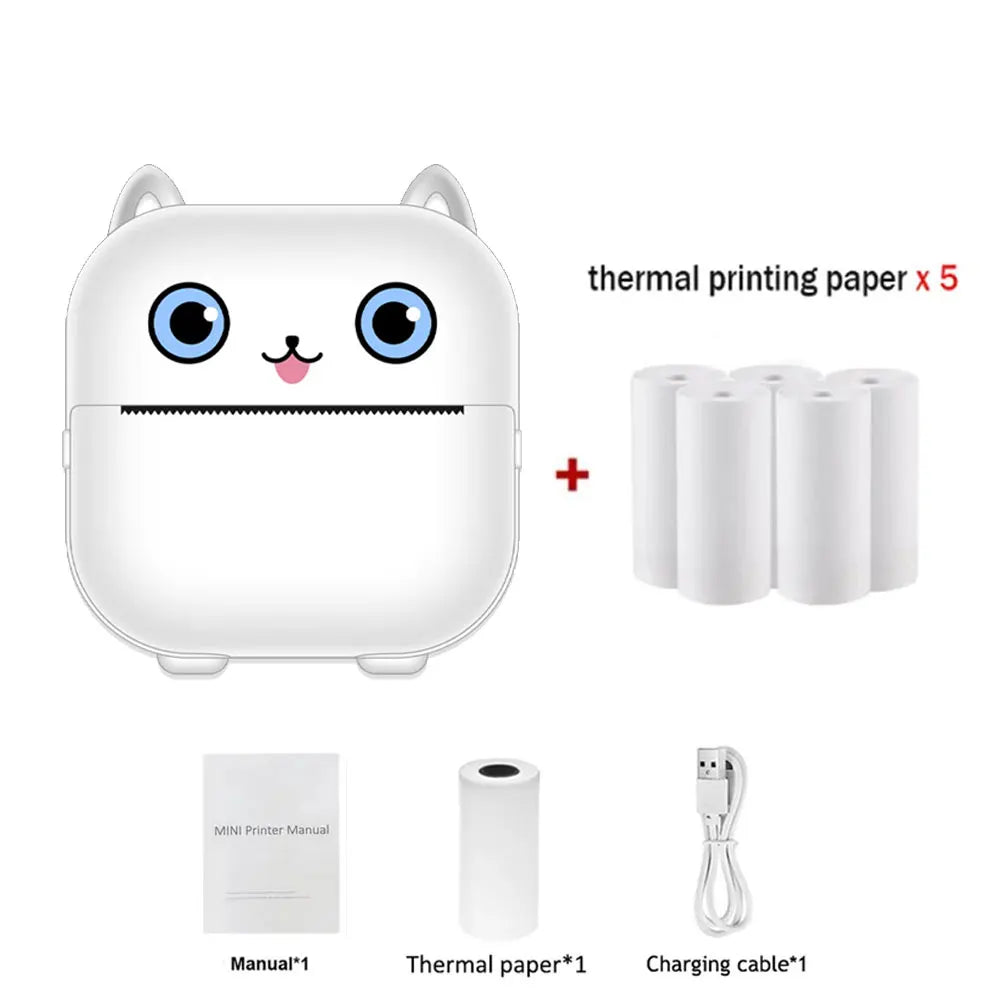
Image with text
Pair text with an image to focus on your chosen product, collection, or blog post. Add details on availability, style, or even provide a review.
-
Free Shipping
Pair text with an image to focus on your chosen product, collection, or blog post. Add details on availability, style, or even provide a review.
-
Hassle-Free Exchanges
Pair text with an image to focus on your chosen product, collection, or blog post. Add details on availability, style, or even provide a review.